Lost access to iTune Movies
Older purchased movies on iTunes will no longer play with verified Apple ID and Password recognized, how do I update the movie file to play.
MacBook Pro, Mac OS X (10.7.5)
Older purchased movies on iTunes will no longer play with verified Apple ID and Password recognized, how do I update the movie file to play.
MacBook Pro, Mac OS X (10.7.5)
Redownload a movie, TV show, or music video
You can only redownload a movie, TV show, or music video that you bought from the iTunes Store. Rented movies are not available for redownload.
You can redownload movies, TV shows, and music videos on your iPhone or iPod touch, iPad, Mac or PC. You can watch previously purchased movies, TV shows, or music videos on your Apple TV, but they don't download to the device.On a Mac or PC
- Open iTunes.
- If you’re not signed in, sign in with your Apple ID.
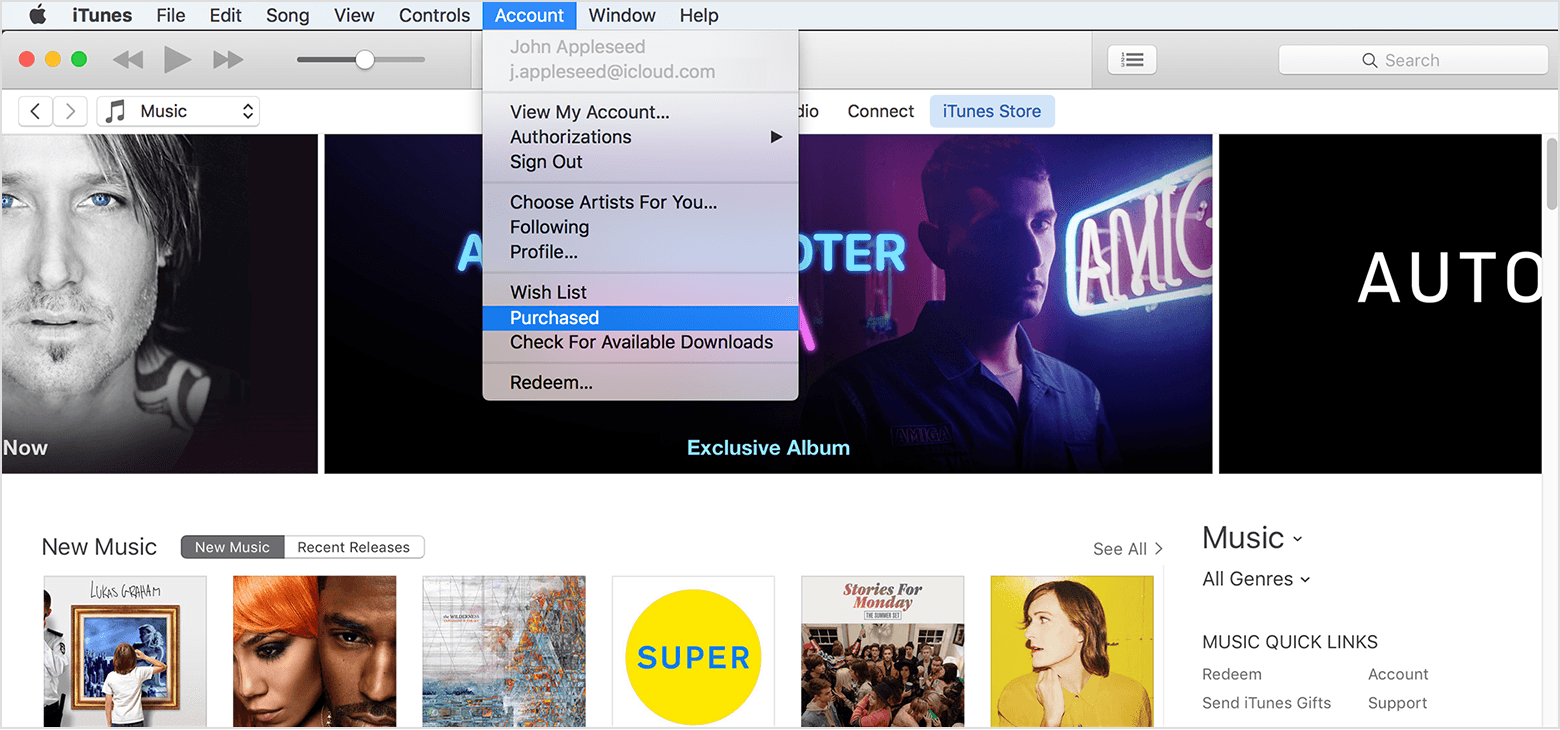
- From the menu bar at the top of your computer screen or at the top of the iTunes window, choose Account > Purchased. If you're a member of a Family Sharing group, you might see Family Purchases instead of Purchased.
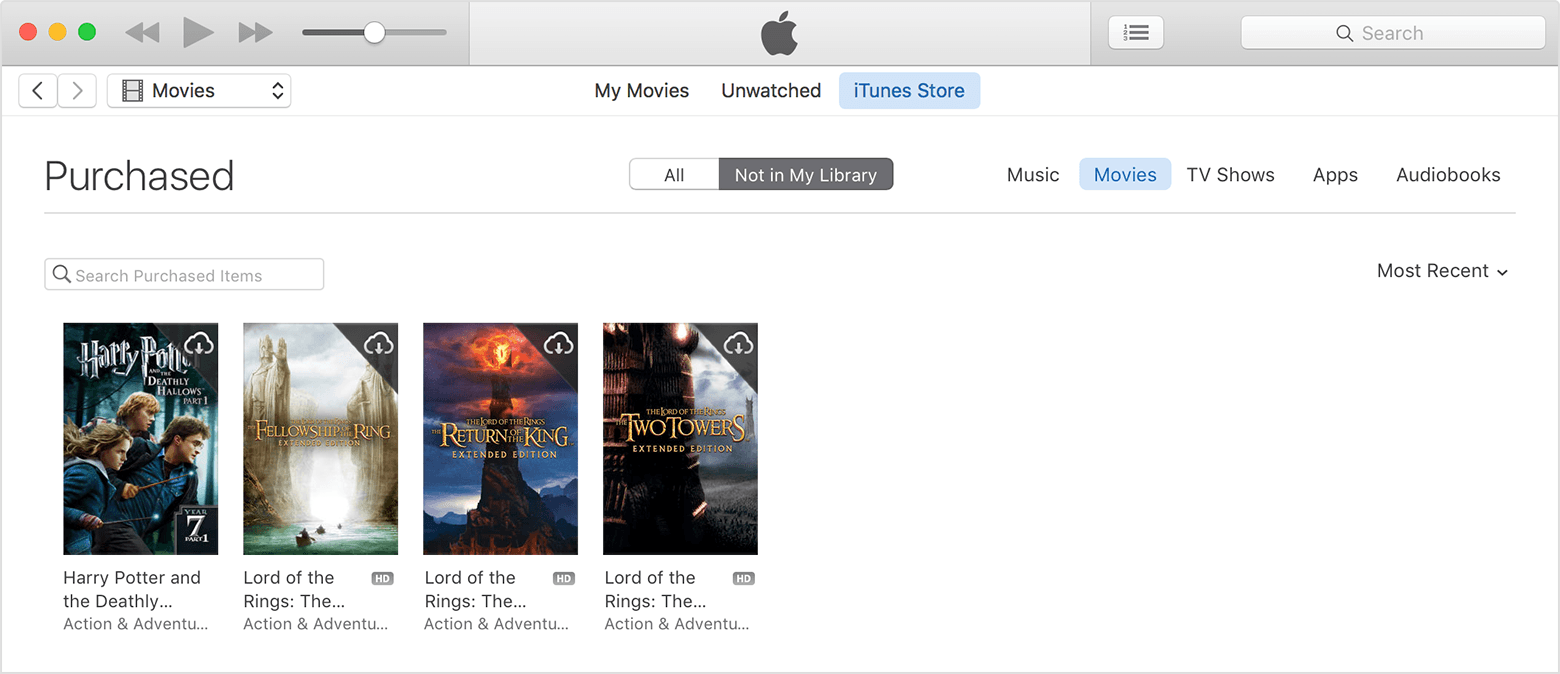
If you’re using Windows and can’t see the menu bar, learn how to turn it on.- Depending on what you want to redownload, click Movies or TV Shows in the upper-right corner of the iTunes window.
- Click "Not in My Library" to view purchased content that isn't on your computer.
Find the item that you want to download, then click the Download iconin the upper-right corner. Your item downloads to your library.
Lost access to iTune Movies